singingphoto.ai

Free AI Talking Photo Generator, No Watermark

Upload your own photo, or one you have permission to use, and this AI talking photo generator lip-syncs it to your audio for free, with a stage preset instead of the plain original background.

  • One photo becomes a talking video
  • 6 instant stage presets, no prompt needed
  • Free HD export, no watermark, ever
  • Same lip-sync engine used across Solo, Duet, Pet modes

45

Studio Vocalist

Solo

Joyful Sky Portrait

Solo

Windblown Smile

Solo

Coral Sweater Portrait

Solo

Sunlit Smile

Solo

Teardrop Portrait

Solo

Convertible Driver

Solo

Blue Headwrap Smile

Solo

Bandana Portrait

Solo

Garden Portrait

Solo

Distinguished Gentleman

Solo

Golden Retriever

Pets

Desert Woman Portrait

Solo

Saudi Gentleman

Solo

Red Bow Performer

Solo

White Shirt Performer

Solo

Folk Dress Portrait

Solo

Blue Hat Portrait

Solo

Beaded Night Portrait

Solo

Seated Studio Portrait

Solo

Curious Corgi

Pets

Gray Cat Portrait

Pets

Garden Hanbok Portrait

Solo

Royal Guard Portrait

Solo

Smiling Elder

Solo

Qipao Portrait

Solo

Red Headscarf Portrait

Solo

Turbaned Gentleman

Solo

Street Style Portrait

Solo

Emirati Portrait

Solo

Floral Cowgirl

Solo

Traditional Drummer

Solo

Playful Cow

Pets

Monochrome Muse

Solo

Pink Shades Smile

Solo

Forest Flower Portrait

Solo

Studio Duo

Duet

Fur Hood Portrait

Solo

Scarf Cat

Pets

Heritage Portrait

Solo

Fluffy Cat Portrait

Pets

City Gentleman

Solo

Golden Fluffy Cat

Pets

Royal Blue Portrait

Solo

Festival Smile

Solo

Why Creators Use This

Why Choose This AI Talking Photo Generator?

This AI talking photo generator uses the same lip-sync engine that powers singingphoto.ai's singing modes, applied to spoken audio instead of a song. Stage presets, custom scene editing, and free HD export come with it, at no cost and with no watermark.

How It Works

How Do You Make an AI Talking Photo?

From a photo and audio clip to a talking video in four steps.

01

Upload your photo

Add a clear photo of yourself, or one you have permission to use. The same upload step feeds Solo, Duet, and Pet Karaoke mode, so a talking photo starts the same way as a singing one.

02

Add your audio

Upload the audio clip you want the photo to speak. The AI lip-sync engine reads the audio and maps mouth movement to it, whether it is a spoken message or a full song.

03

Pick a stage preset or write a custom scene

Choose from Studio, Jazz Club, Home, Bar, Supercar, or Fisheye for an instant setting, or use Custom Scene Editing to prompt your own stage, lighting, and camera angle.

04

Generate and export

The generator lip-syncs your photo to the audio and renders the final talking video. Export in HD with no watermark, since every feature here is free.

Core Capabilities

What Can This AI Talking Photo Generator Do?

One photo, real lip-sync, a proper stage, and free HD export.
Single photo turned into an AI talking video
ONE PHOTO IN

A Single Photo Becomes a Talking Video

Upload one clear photo and the AI lip-syncs it to your audio, whether that is a spoken message, a voice note, or a full song. No filming setup or camera needed on your end.

  • 1 photo needed to start
  • Works with a spoken clip or a song
  • No filming or camera required
Stage preset applied to an AI talking photo
STAGE PRESETS

6 Instant Stage Presets, Not Just the Original Photo

Instead of leaving your talking photo stuck against its original background, apply one of 6 stage presets in one click: Studio, Jazz Club, Home, Bar, Supercar, or Fisheye.
  • 6 named stage presets
  • One-click, no prompt needed
  • Replaces the original photo background
Custom scene prompt editor for a talking photo
CUSTOM SCENE

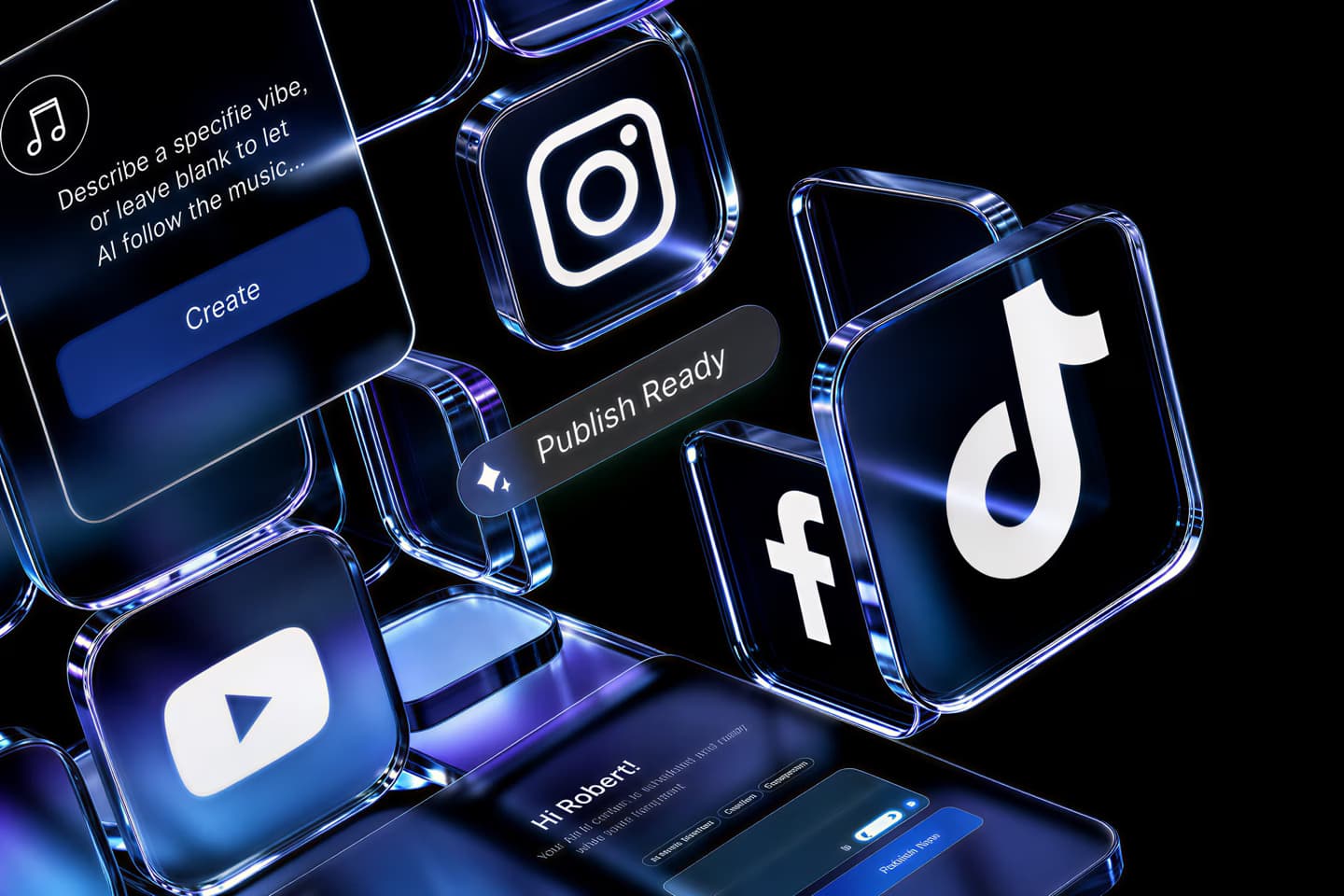
Custom Scene Editing on Top of the Presets

When a preset is not quite right, prompt-driven Custom Scene Editing lets you adjust stage, lighting, camera, setting, and atmosphere on top of the presets, not instead of them.
  • Prompt-driven scene control
  • Adjusts lighting and camera angle
  • Layers on top of the 6 presets
Watermark-free AI talking photo export
FREE EXPORT

HD Export With No Watermark, No Fee

Every export from this AI talking photo generator is HD and watermark-free, and private generation is included at no cost. There is no paid tier hiding the clean version of your video.
  • HD export included
  • No watermark on any export
  • Private generation, no fee
One lip-sync engine used for talking and singing photos
SAME ENGINE, MORE MODES

Same Lip-Sync Engine as the Singing Modes

A talking photo uses the same underlying AI lip-sync engine as Solo, Duet, and Pet Karaoke mode, so the same accuracy applies whether the photo is speaking or singing.
  • 1 engine across talking and singing
  • Works for spoken audio or songs
  • Also covers Duet and Pet Karaoke
Asset management screen with reusable photos
ASSET REUSE

Reuse a Photo You Have Already Uploaded

Asset Management keeps previously uploaded photos on hand, so you can make another talking video from the same photo without uploading it again.

  • No re-upload for repeat photos
  • Speeds up making multiple videos
  • Works across all modes
Side-by-Side

How Does This AI Talking Photo Generator Compare?

Where singingphoto.ai differs from other talking photo tools.

Feature
singingphoto.ai
Magic Hour
HeyGen
DomoAI
Price
Completely free, no paywall
Limited free generations
Free trial, paid plans
Free tier, paid upgrades
Watermark on export
None, ever
Not specified as watermark-free
Removed on paid plans
Not specified as watermark-free
Sign-up required to start
No sign-up needed
No sign-up needed
Free account required
Account required
Stage or scene presets
6 named presets, one click
Preset photo options only
Style and scenario presets
Not stage-specific
Custom scene prompt editing
Yes, layered on presets
Not a dedicated feature
Prompt-based avatar looks
Text prompts for style
Also covers singing photos
Yes, Solo, Duet, Pet Karaoke
Separate lip-sync tool
Separate Make Photo Sing tool
Not offered
Stated resolution
High-quality export, no fixed number stated
Not specified
Not specified
Up to 1080p, per DomoAI
Language support claim
Not a language-count claim
Not specified
175+ languages and dialects, per HeyGen
Not specified
Asset reuse for repeat photos
Yes, no re-upload needed
Not specified
Not specified
Not specified
Why It's Worth Using

What Do You Get From an AI Talking Photo Generator?

A real stage, no watermark, and no cost to make it.

Actually Free, Not a Trial

You get HD export, no watermark, and private generation without hitting an upgrade prompt. This is not a limited trial that leads to a paywall.

A Real Stage, Not the Same Background

Your talking photo gets a proper setting instead of standing in front of the same static background, thanks to the built-in stage presets.

No Camera or Studio Needed

You do not need to film anything. Upload a photo and audio, and the lip-sync handles the rest.

Room to Get Specific

If you want an exact lighting setup or camera angle, Custom Scene Editing gives you that control without losing the presets as a starting point.

One Tool for Talking and Singing

You are not switching between separate apps for a spoken message versus a singing video. The same photo and engine handle both.

Less Repeat Uploading

Once your photo is on the platform, you can make more videos from it later without digging through your files again.

Safe to Share Right Away

Because nothing is watermarked, the video you download is the one you post, with no logo to crop out first.
Explore More

More Free AI Singing and Talking Photo Tools

Other free ways to turn a photo into a singing or talking video.

What Creators Say

What Do Creators Say About This AI Talking Photo Generator?

Feedback from people making their first AI talking photo video.

4.8/5
★★★★★
From 1,000,000+ creators Featured on
NR
Nathan Reyes
Small Business Owner, Denver
★★★★★
Used a headshot for a quick client greeting video. The Studio preset looked more professional than the plain office photo I started with.
PR
Priyanka Rao
Online Educator, Pune
★★★★★
Made a short talking photo explainer for my course intro. No watermark, no fee, and the lip-sync tracked my recorded audio well.
TA
talkingclipsdaily
Content Editor, Austin
★★★★★
Compared this against a couple of the bigger names and most wanted a sign-up before I could even test it. This one just worked right away.
MW
Marcus Webb
Podcast Host, Nashville
★★★★☆
Custom Scene Editing let me get the lighting closer to my show's look after the Bar preset was close but not quite there.
IL
Ingrid Larsen
HR Specialist, Oslo
★★★★★
Turned a team photo into a talking welcome message for new hires. Free HD export mattered since we send a lot of these.
DS
Diego Salazar
Freelance Marketer, Guadalajara
★★★★★
The Supercar stage preset made a simple product update video look like a real ad. One click, no design work on my end.
HK
Hana Kobayashi
YouTuber, Yokohama
★★★★☆
Lip-sync held up through a full 2 minute clip without drifting out of time with the audio.
SO
Samuel Okafor
Real Estate Agent, Houston
★★★★★
Reused a photo from an earlier listing video without re-uploading it. Small thing but it saved real time this week.
CB
Claire Bennett
Nonprofit Communications Lead, Bristol
★★★★★
Needed a talking photo for a donor update and free, watermark-free export was exactly what our budget needed.
TM
Tariq Mansour
Customer Support Manager, Dubai
★★★★★
Made a talking photo FAQ video for our support page. Home preset was casual enough to feel approachable.
LF
Lena Fischer
Freelance Designer, Berlin
★★★★☆
Fisheye preset gave a personal update video more personality than a flat portrait photo would have on its own.
CR
creatorwithacamera
Social Media Creator, Toronto
★★★★★
The fact that the same tool also does singing photos and Duet mode meant I did not need a second app for a different video idea.
Who It's For

Who Uses This AI Talking Photo Generator?

Built for anyone turning a photo into a talking video, not just a singing one.

Small Business Owners

Want a quick talking photo greeting or product update for customers, without filming and editing a video from scratch.

Online Educators and Course Creators

Need a talking photo intro or explainer clip for lessons, using a headshot instead of recording a full video.

Social Media Managers

Handle brand or personal accounts and need a fast, free way to produce talking photo content on a regular posting schedule.

HR and Internal Communications Teams

Turn a team photo into a talking welcome or update message for employees, at no cost since every export is free.

Real Estate and Local Service Agents

Add a talking photo message to a listing or promotion, reusing the same photo across multiple videos with Asset Management.

Casual Creators and Meme Makers

Just want to turn a funny or personal photo into a talking video for a laugh, with no sign-up friction or price tag standing in the way.
Common Questions

Common Questions About This AI Talking Photo Generator

Cost, photo requirements, and how the lip-sync works.

Is this AI talking photo generator free?

Yes, this AI talking photo generator is completely free. HD export, watermark-free export, and private generation are all included at no cost, with no paid tier hiding any of those features.

Do I need to use a photo of myself?

Yes, upload your own photo, or one you have permission to use. The generator is meant for photos you have the rights to, not photos of other people taken without their permission.

How is a talking photo different from a singing photo on this tool?

Both use the same AI lip-sync engine. A talking photo maps mouth movement to spoken audio, like a message or voice note, while a singing photo maps it to a song. You use the same upload flow for either one.

Does the video have a watermark?

No. Every export from this AI talking photo generator is watermark-free, the same as the singing modes on the platform.

How do the stage presets work?

Pick one of 6 instant stage presets, Studio, Jazz Club, Home, Bar, Supercar, or Fisheye, and the AI replaces your photo's original background with that setting in one click, with no prompt needed.

Can I customize the scene beyond the presets?

Yes. Custom Scene Editing lets you write a prompt to adjust stage, lighting, camera, setting, and atmosphere, layered on top of the 6 presets rather than replacing them.

What if I don't have a clear rights-cleared photo to use?

Use your own photo, a photo of your pet, or one you have explicit permission to use. Don't upload photos of other people, celebrities, or public figures without their consent.

Do I need to sign up to use it?

No sign-up is required to start making a talking photo video, and there is no credit card requirement to reach the free HD, watermark-free export.

Do I have to re-upload my photo every time?

No. Asset Management keeps previously uploaded photos on hand, so you can start a new talking photo video from the same photo without uploading it again.

Can this tool also make a photo sing instead of talk?

Yes. The same lip-sync engine behind this AI talking photo generator also powers Solo, Duet, and Pet Karaoke singing modes, so one photo can become either a talking or a singing video depending on the audio you upload.
Is this AI talking photo generator free?
Yes, this AI talking photo generator is completely free. HD export, watermark-free export, and private generation are all included at no cost, with no paid tier hiding any of those features.
Do I need to use a photo of myself?
Yes, upload your own photo, or one you have permission to use. The generator is meant for photos you have the rights to, not photos of other people taken without their permission.
How is a talking photo different from a singing photo on this tool?
Both use the same AI lip-sync engine. A talking photo maps mouth movement to spoken audio, like a message or voice note, while a singing photo maps it to a song. You use the same upload flow for either one.
Does the video have a watermark?
No. Every export from this AI talking photo generator is watermark-free, the same as the singing modes on the platform.
How do the stage presets work?
Pick one of 6 instant stage presets, Studio, Jazz Club, Home, Bar, Supercar, or Fisheye, and the AI replaces your photo's original background with that setting in one click, with no prompt needed.
Can I customize the scene beyond the presets?
Yes. Custom Scene Editing lets you write a prompt to adjust stage, lighting, camera, setting, and atmosphere, layered on top of the 6 presets rather than replacing them.
What if I don't have a clear rights-cleared photo to use?
Use your own photo, a photo of your pet, or one you have explicit permission to use. Don't upload photos of other people, celebrities, or public figures without their consent.
Do I need to sign up to use it?
No sign-up is required to start making a talking photo video, and there is no credit card requirement to reach the free HD, watermark-free export.
Do I have to re-upload my photo every time?
No. Asset Management keeps previously uploaded photos on hand, so you can start a new talking photo video from the same photo without uploading it again.
Can this tool also make a photo sing instead of talk?
Yes. The same lip-sync engine behind this AI talking photo generator also powers Solo, Duet, and Pet Karaoke singing modes, so one photo can become either a talking or a singing video depending on the audio you upload.